
- Google Earth
Google Earth
vs.
Custom Satellite Imagery
The images in SIC’s image library are date-stamped, so you are never in doubt as to how recently the image was photographed. If no image of your target area exists in our library, or if you need to monitor changes over time, we can easily order a custom satellite image to be taken, which ensures that your image is as current as technology allows.
Google Earth
Google Earth is a great addition to the growing set of software solutions devoted to viewing satellite image data from around the world. While Google Earth satellite imagery doesn’t match the quality of traditional high-resolution satellite images, it is an excellent way to determine the coordinates of a location you’d like to study further.
Google Earth Pro free download is available at: Google Earth Pro, which includes, among other enhancements, faster performance and better measurement tools.
Google Earth vs. Custom Satellite Imagery
While the image quality of Google Earth far surpasses anything that has been available at the free consumer level in the past, it still doesn’t come close to matching the detail and quality of a custom high-resolution satellite image shot by one of the major satellites.
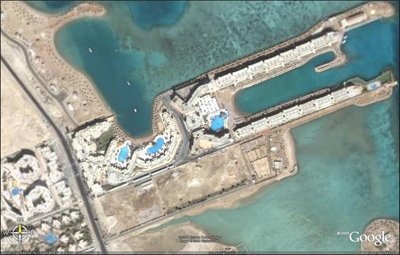
Following is an image of the Hurghada beachfront in Egypt, shot with MAXAR’s QuickBird satellite via Google Earth:
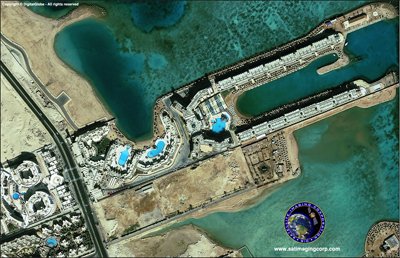
Next, view a satellite photo from Satellite Imaging Corporation’s QuickBird image gallery:
Now, compare the following satellite images of the Lagos, Nigeria airport. The first image was available through Google Earth:
The following image of the same location was captured by Satellite Imaging Corporation:
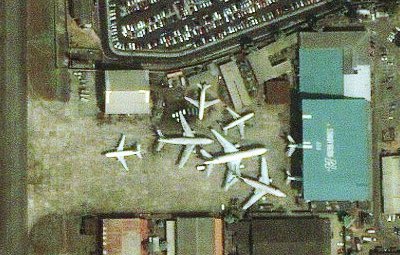
On close inspection of the images, some differences become clear. The Google Earth image, while an accurate representation of the area, is distinct in several ways:
Unified image quality. The center of the image is where the image is sharpest, while the outlying regions of the photo become increasingly blurry as you move to the edges.
Timely and current. While Google Earth lists its images as “approximately one to three years old,” users are never entirely sure the date an image was shot. This might be fine for satellite images of established, urban areas, but for some projects, such as environmental monitoring or residential development, knowing the exact date on which an image was taken is essential.
The images in SIC’s image library are date-stamped, so you are never in doubt as to how recently the image was photographed. If no image of your target area exists in our library, or if you need to monitor changes over time, we can easily order a custom satellite image to be taken, which ensures that your image is as current as technology allows.
Worldwide availability. Currently, Google Earth provides high-resolution image data for major metropolitan areas, and often, little else. Unfortunately, outlying areas are often a major source of interest for civil engineers, oil and gas exploration teams, and environmental project managers. Satellite Imaging Corporation provides high-resolution for nearly any location on earth, not just major cities.
Using Google Earth to Preview Your Custom Satellite Photograph
In the satellite imagery field, we call it the “Area of Interest.” That’s really just shorthand for the location you want to be photographed. It might be an existing neighborhood, down to the exact street address. It might be a corporate campus or vacant lot. It might be a location in the middle of nowhere, perhaps soon to be an oil field, residential development, or protected wetland.
Regardless of the location, satellite imagery is shot based on Latitude and Longitude coordinates, not by street address. Google Earth is a great help in determining the exact coordinates that you need for your image.
The following notes explain how to utilize Google Earth to determine the exact coordinate boundaries of your “Area of Interest.” In the sample image below, we’ve used the address of Apple Computer’s campus in Cupertino, CA – 1 Infinite Loop.
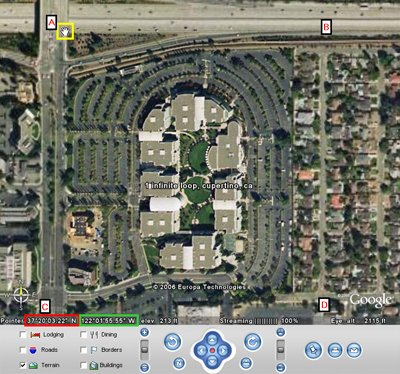
Recognizing latitude and longitude coordinate measurements in Google Earth, using Apple Computer’s campus as an example.
If Google Earth has not been installed on your computer, please install it first. Read installation and computer requirements carefully to ensure that your system is powerful enough (in terms of hard drive space and RAM) to run Google Earth properly.
In the upper-left part of the screen, select the “Fly To” option and enter a street address, town/village, state or province, and country. Google Earth will automatically take you to the area selected.
When you contact us to tell us about your Area of Interest (AOI), we need two sets of numbers – the latitude and longitude coordinates of the opposite corners of your intended photograph. In other words, in the sample graphic above, we need the latitude/longitude coordinates of corners A and D or the coordinates of corners B and C. Knowing the coordinates of two opposing corners enables us to create the rectangular image correctly.
The WGS-84 latitude and longitude coordinates for your location appear at the bottom of the active Google Earth window on the left side. In the image above, the latitude is highlighted in the red rectangle, and the longitude is in the green rectangle. Remember that the coordinates shown on the screen are the coordinates of your mouse pointer on the screen (shown as a “hand” icon in the yellow rectangle), so be sure to place it correctly. Don’t assume that the coordinates shown on the screen are the center of the image or the exact street address you requested, because they probably are not.
As an additional option, you can also make a screenshot of the active window and provide us the image in JPEG format as an attachment to your message, along with your request. Send the information to: info@satimagingcorp.com.
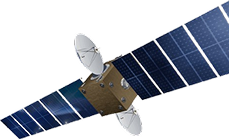
Satellite Sensor
IMAGING Corporation Satellite Sensors
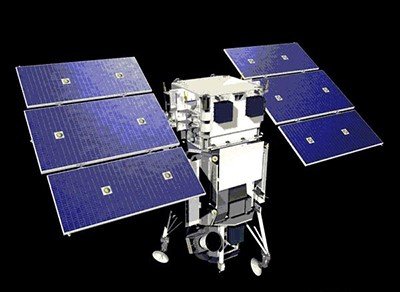
(0.50m)
WorldView-1 satellite sensor was successfully launched from Vandenberg Air Force Base, California, U.S.A., at 11:35 Hrs Pacific Daylight Time (PDT) on September 18th, 2007. Watch video of WorldView-1 satellite launch. The WorldView-1 offers a high-capacity, panchromatic imaging system which features 0.50m resolution imagery.
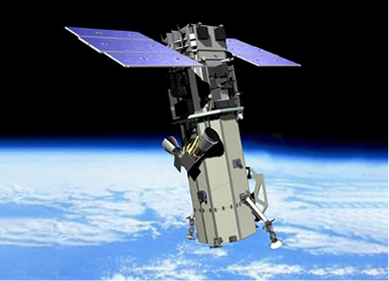
(0.50m)
VANTOR’s WorldView-2 satellite sensor, launched October 8, 2009, provides 0.46m panchromatic (B&W) mono and stereo satellite image data.
The WorldView-2 sensor provides a high-resolution panchromatic band and eight (8) multispectral bands; four (4) standard colors (red, green, blue, and near-infrared 1) and four (4) new bands (coastal, yellow, red edge, and near-infrared 2), full-color images for enhanced spectral analysis, mineral mapping, wildlife monitoring, land-use planning, disaster relief, defense, and climate change.
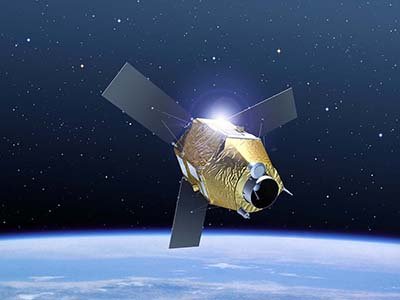
(0.50m)
AIRBUS Defence & Space Pleiades-1A satellite sensor was successfully launched on December 16, 2011, and provides 0.5m high resolution satellite image data. Watch video of Pleiades-1A satellite launch.
The Pleiades-1A satellite is capable of providing orthorectified color data at 0.5-meter resolution (roughly comparable to GeoEye-1) and revisiting any point on Earth as it covers a total of 1 million square kilometers (approximately 386,102 square miles) daily. Perhaps most importantly, Pleiades-1A is capable of acquiring high-resolution stereo imagery in just one pass and can accommodate large areas (up to 1,000 km x 1,000 km).
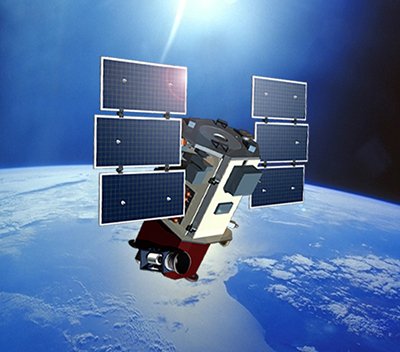
(0.65m) - Decommissioned
VANTOR’s QuickBird satellite sensor was successfully launched on October 18, 2001, at Vandenberg Air Force Base, California, USA.
Using a state-of-the-art BGIS 2000 sensor (PDF), QuickBird satellite collected image data to 0.65m pixel resolution degree of detail. This satellite was an excellent source of environmental data useful for analyses of changes in land usage, agriculture, and forest climates. QuickBird’s imaging capabilities had applied to a host of industries, including oil and gas exploration and production (E&P), engineering and construction and environmental studies.
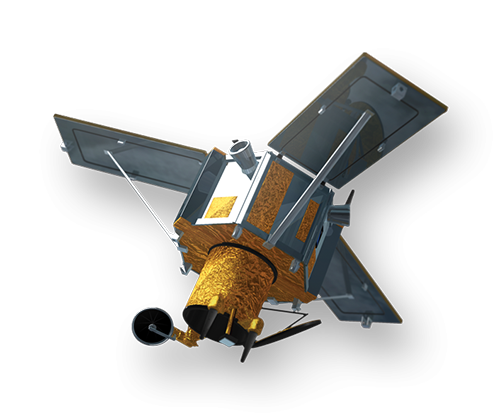
(0.80m) - Decommissioned
The IKONOS satellite sensor was successfully launched as the first commercially available high-resolution satellite sensor on September 24, 1999, at Vandenberg Air Force Base, California, USA. The IKONOS satellite sensor was decommissioned by DigitalGlobe on March 31, 2015.
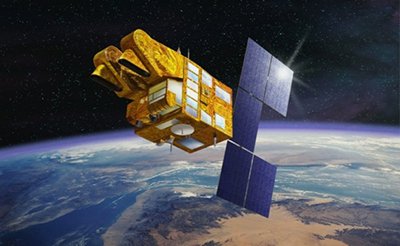
(2.5m/5m) - Decommissioned
The SPOT-5 satellite sensor has been decommissioned as of March 31, 2015. SPOT-5 was successfully placed into orbit by an Ariane 4 from the Guiana Space Centre in Kourou during the night of 3 to 4 May 2002. Archived SPOT-5 Satellite Imagery will remain available.
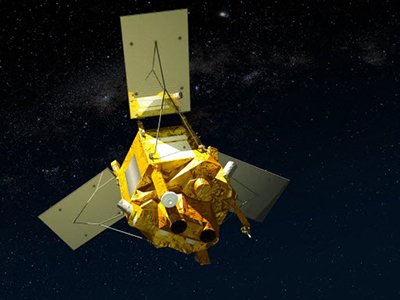
(1.5m)
SPOT-6 satellite sensor built by AIRBUS Defence & Space was successfully launched on September 9, 2012, by a PSLV launcher from the Satish Dhawan Space Center in India. Watch video of SPOT-6 the satellite launch.
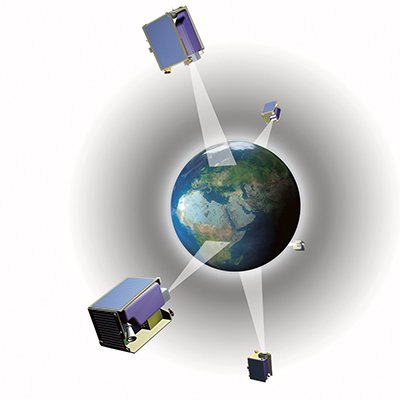
(5m)
The five (5) RapidEye satellite sensors were successfully launched from the DNEPR-1 Rocket on August 29th, 2008, at Baikonur Cosmodrome in Kazakhstan. RapidEye was built by MacDonald Dettwiler, Ltd. (MDA) and will offer customers a data source containing an unrivaled combination of large-area coverage, frequent revisit intervals, high-resolution, and multispectral capabilities.
After 12 years of operation, Planet decommissioned the RapidEye EO satellite constellation in April 2020.
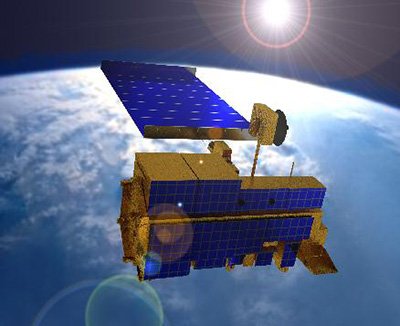
(15m)
ASTER satellite sensor is one of the five state-of-the-art instrument sensor systems on-board the Terra satellite that was launched on December 18, 1999, at Vandenberg Air Force Base, California, USA.
ASTER is a 15-meter, 14 band multispectral resolution instrument. It can be used for land cover and change detection, calibration, validation, and land surface studies.
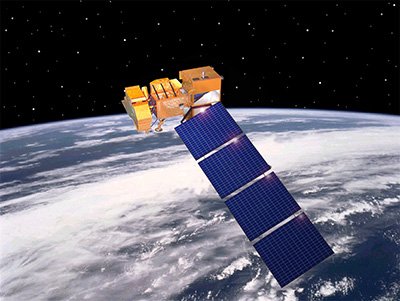
(15m)
The Landsat 7 ETM+ satellite sensor was successfully launched from the Vandenburg Air Force Base on April 15, 1999. Landsat 7 satellite is equipped with Enhanced Thematic Mapper Plus (ETM+), the successor of TM. The observation bands are essentially the same seven bands as TM, and the newly added panchromatic band 8, with a high resolution of 15-meters was added. An instrument malfunction occurred on May 31, 2003, with the result that all Landsat 7 scenes acquired since July 14, 2003, have been collected in “SLC-off” mode.
(0.5m)
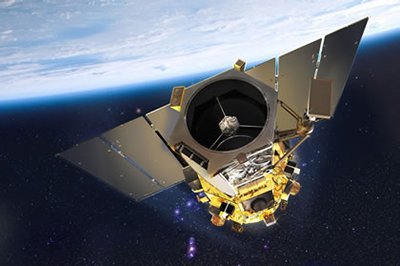
The GeoEye-1 satellite sensor was successfully launched on September 6, 2008. The satellite, which was launched at Vanderberg Air Force Base, California, provides a resolution of 0.46-meters. Watch a video of GeoEye-1 satellite launch. GeoEye-1 is capable of acquiring image data at 0.50-meter panchromatic (B&W) and 1.84-meter multispectral resolution. It also features a revisit time of fewer than three days, as well as the ability to locate an object within just three meters of its physical location.
Ready to get started?
Contact us for a custom imagery solution or request a quote
TESTIMONIALS
Stories & Experiences
Lorem ipsum dolor sit amet, consectetur adipiscing elit, sed do eiusmod tempor incididunt ut labore et dolore magna aliqua. Ut enim ad minim veniam, quis nostrud exercitation. .

Sarah Jones
Lorem ipsum dolor sit amet, consectetur adipiscing elit, sed do eiusmod tempor incididunt ut labore et dolore magna aliqua.

George Tarburton Jr.
Lorem ipsum dolor sit amet, consectetur adipiscing elit, sed do eiusmod tempor incididunt ut labore et dolore magna aliqua. Lorem ipsum dolor sit am

Jason Boothe
Lorem ipsum dolor sit amet, consectetur adipiscing elit, sed do eiusmod tempor incididunt ut labore et dolore magna aliqua.